Choose a mobile app development company by asking it to demonstrate relevant work and explain how your first release will be tested, submitted and supported. A polished portfolio is a starting point. The stronger evidence is a team that can connect a real user journey to the systems, accounts and delivery responsibilities behind it.
Your app may also need a web administration tool, APIs, payments or an existing business system. Include those in the brief before comparing suppliers. The questions below help you review mobile specialists and broader software teams against the same scope, rather than treating the visible screens as the whole project.
1. Inspect relevant product work and who delivered it
Ask to see a product journey that resembles your main task: uploading a photo, searching a catalogue, completing a purchase or using an account across devices. Find out which parts the proposed team built, what it maintains today and whether the example belongs to the supplier or a client. A screenshot alone does not establish store availability, reliability or a customer outcome.
The examples on this page are Brainbaby Labs’ own products. Baby Astro illustrates a mobile learning journey, Cardboom shows collection and catalogue interfaces, and Brainbaby AI shows a browser workspace connected to a wider product. Their case studies explain the capture context. Use them to discuss relevant experience, then ask who would work on your project and what can be demonstrated for your requirements.
From our portfolio
See the products behind the guides.
Explore three products built, owned and operated by Brainbaby Labs. Start with the interface, then review the case study for the product decisions and engineering context relevant to your project.
Mobile applications

Baby Astro
Review how Baby Astro brings chart navigation, learning and daily insights into a mobile experience.
Web applications and AI
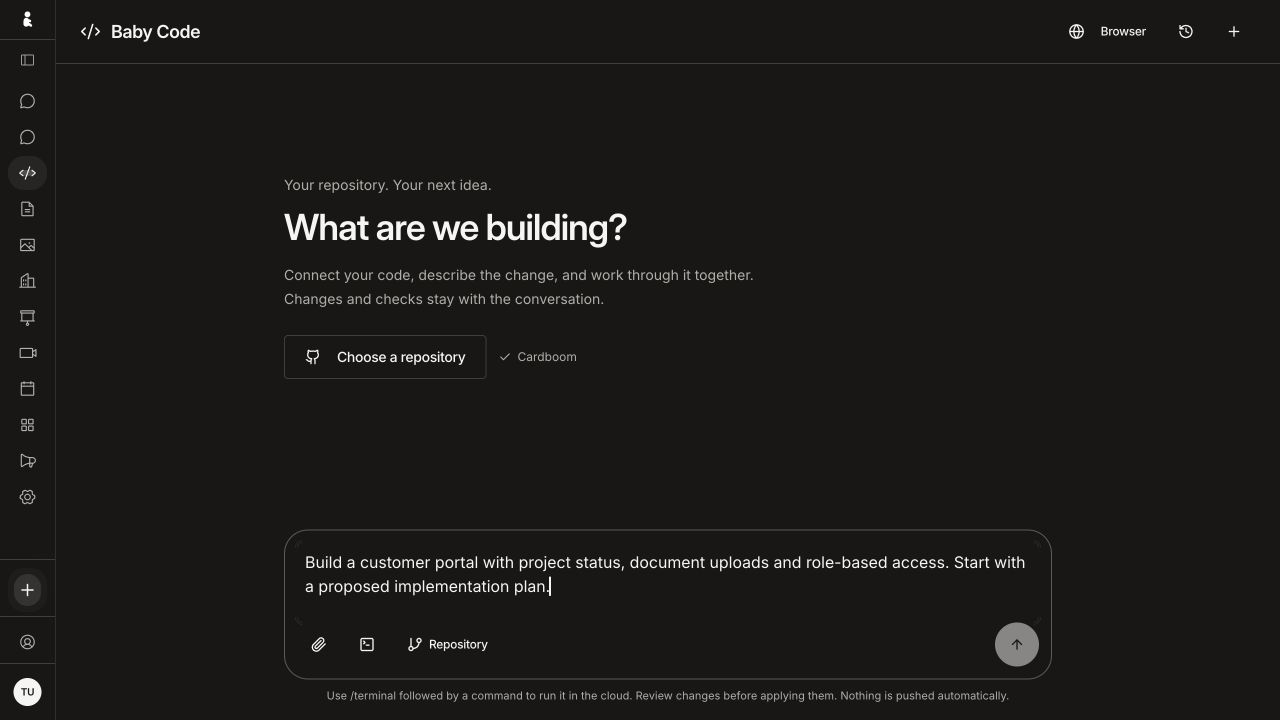
Brainbaby AI
See how Brainbaby gives coding and presentation work their own browser workspaces.
Catalogues and connected systems
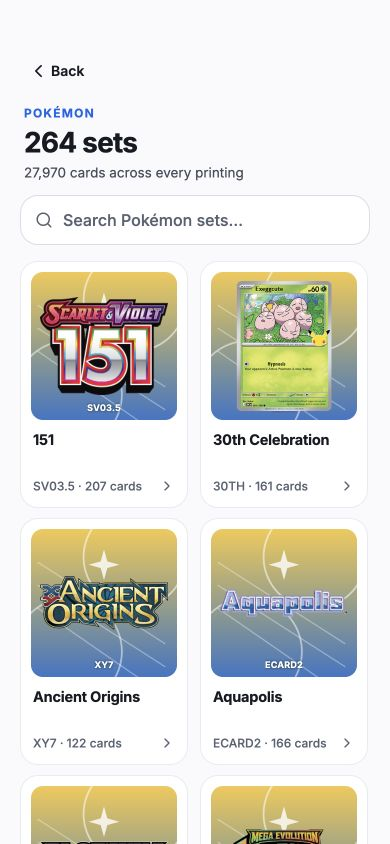
Cardboom
Explore Cardboom’s catalogue journey and the engineering decisions behind its collector tools.
These are owned-product examples. Screens show the documented interface versions; the case studies explain their capture context and the scope of the engineering review.
2. Compare platform choices against your device needs
List the devices, operating-system versions and capabilities you need before choosing native iOS and Android or a cross-platform approach such as React Native or Flutter. Camera access, notifications, offline work, background activity, accessibility and graphics can change the engineering and testing needed. Ask the team to explain the trade-off for your actual journey instead of promising that one framework is always cheaper or faster.
For an existing app, request an initial review of its code, dependencies, build process and integration points. Agree which work can be reused and which uncertainties need a small technical demonstration. A framework proposal should explain those findings and the responsibilities for each supported platform.
3. Include backend, web tools and integrations in the proposal
A sign-in screen may depend on an identity service; a card listing may depend on image processing, search and moderation; a payment may need reconciliation and a support process. Ask the supplier to name the systems it will build or connect, the data each system owns and who operates them. Include administration tools and existing CRM, ERP or payment integrations where they are part of the product.
Have the proposal cover unsuccessful requests as well as successful ones. What does a user see after a connection drops, a payment remains pending or an AI response cannot be used? Identify the work needed to retry safely, investigate an issue and explain the result to the user.
4. Make delivery, communication and device testing reviewable
Define a first milestone through a task you can inspect, with its assumptions and acceptance criteria. For example, a collector can photograph a card, review the captured information and save a draft listing. Agree the demo environment, representative test data, supported devices and known limitations before deciding whether that milestone is complete.
Ask how the team will test the release on real devices, record failures and verify fixes. Review permission refusal, slow or absent connectivity, session expiry, navigation back, text scaling and any critical payment or subscription journey that applies. Agree demo frequency, decision owners, working-hour overlap and a written route for scope changes. This makes timezone and communication fit a practical delivery question.
5. Separate a tested build, store submission and approval
A working development build, a submitted app and an approved store release are different milestones. Ask who prepares the build, metadata, screenshots, review access and any responses to review feedback. Record the submission responsibilities without treating a supplier’s proposed date as a guaranteed store approval.
Apple’s submission guidance calls for a complete, tested app, appropriate review access and accessible backend services. Google Play’s review preparation covers declarations about the app and access reviewers need. The relevant requirements depend on your features and can change, so check the current official guidance when preparing the release.
6. Compare full costs, ownership and post-launch support
Compare proposals for the same scope, including design, mobile clients, backend work, integrations, testing, submission and handover. Separate build charges from ongoing hosting, third-party services, maintenance and feature development. Ask how assumptions and exclusions affect the price; a low headline total does not tell you whether the essential work is included.
Document ownership and access for the source repository, design files, developer-store accounts, domains, infrastructure and operational data. Agree how access is granted and removed, who can publish an update, what is handed over and who responds to an incident. Clarify maintenance coverage, response expectations and how OS or dependency changes are reviewed after launch.
7. Send a brief that lets the team propose a useful first step
Describe your users, their main task, the platforms, existing systems, important constraints and the date you hope to test a first version. Include your budget range if you have one, and distinguish essential release work from later ideas. Ask each shortlisted company what it would verify first and what evidence you would receive before committing to the wider build.
Brainbaby Labs develops mobile apps alongside web applications, AI features and infrastructure. Bring your brief and relevant product references so we can discuss whether the first step should be discovery, a focused demonstration or implementation. The team, scope and delivery responsibilities should be agreed for the actual project.