Software development for web, mobile, AI and infrastructure.
Software for real people. Systems built to last.
Brainbaby Labs designs and engineers web applications, mobile products, AI features and the services behind them. We also build and operate our own products, so our project conversations start with working interfaces and real delivery questions—not a generic capability list.
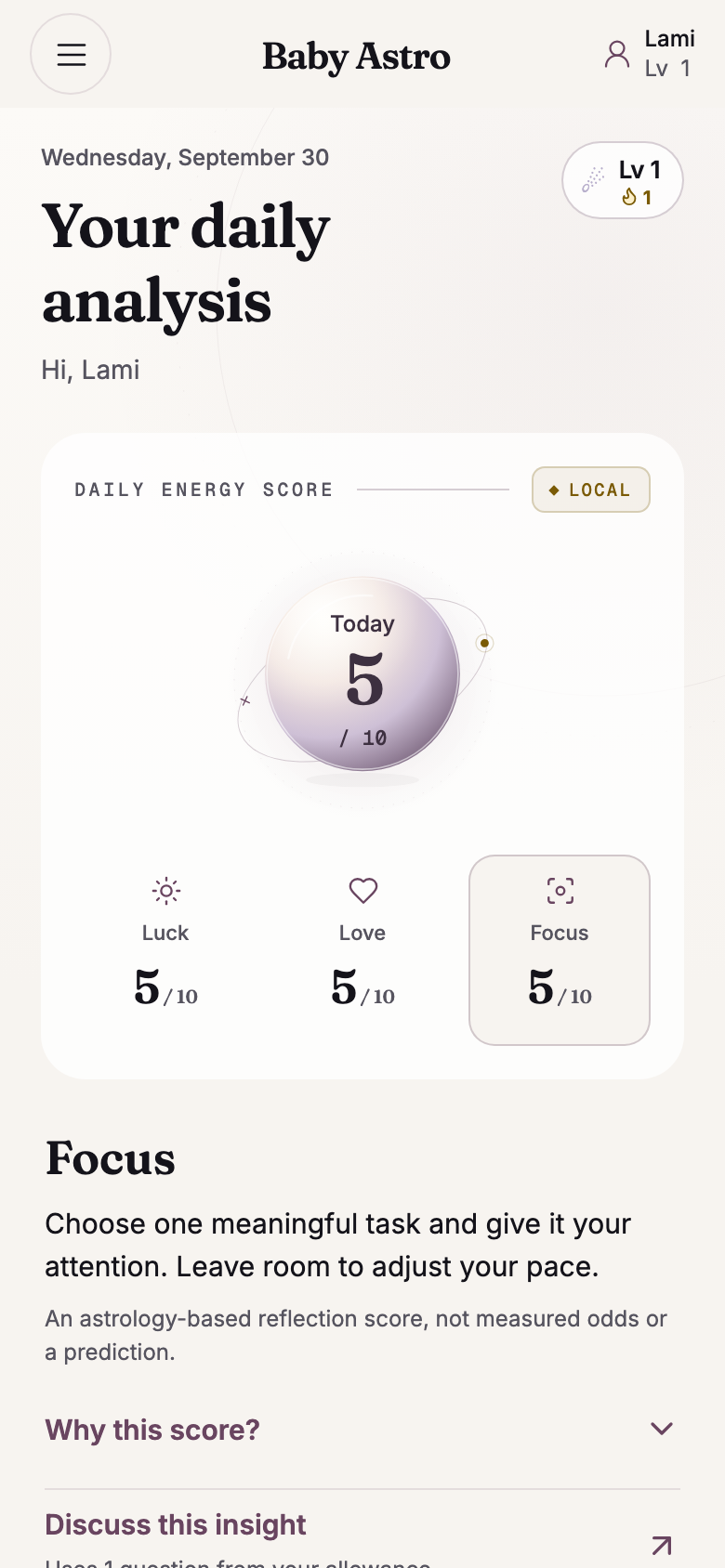
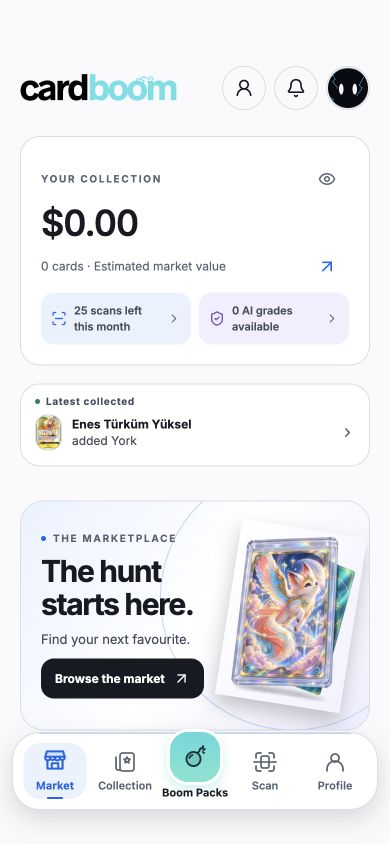
Explore Brainbaby AI, Baby Astro and Cardboom through their product screens and case studies. They show how we connect the interface with the workflows behind it. Owned products are evidence of product work, not a claim about a client project’s results.
Customer portals, marketplaces and connected systems.
Start with the job your software needs to do. Give customers a place to manage requests, connect buyers and sellers, or keep your business systems in sync. Explore the scope, access rules and operating responsibilities before requesting a proposal.
Tell us who will use the software, what they need to do, which systems already exist and when a first release matters. We can then discuss discovery, a bounded proof or an implementation proposal. Scope, responsibilities and handover belong in the written agreement.
05 / Evidence
Built and operated by Brainbaby Labs
Our owned portfolio gives you concrete work to discuss. For a new engagement, ask us which people are available, what can be demonstrated, how quality will be checked and who will operate the result after launch.
Browser workspace / 3 October 2026
A project brief. Room to work.
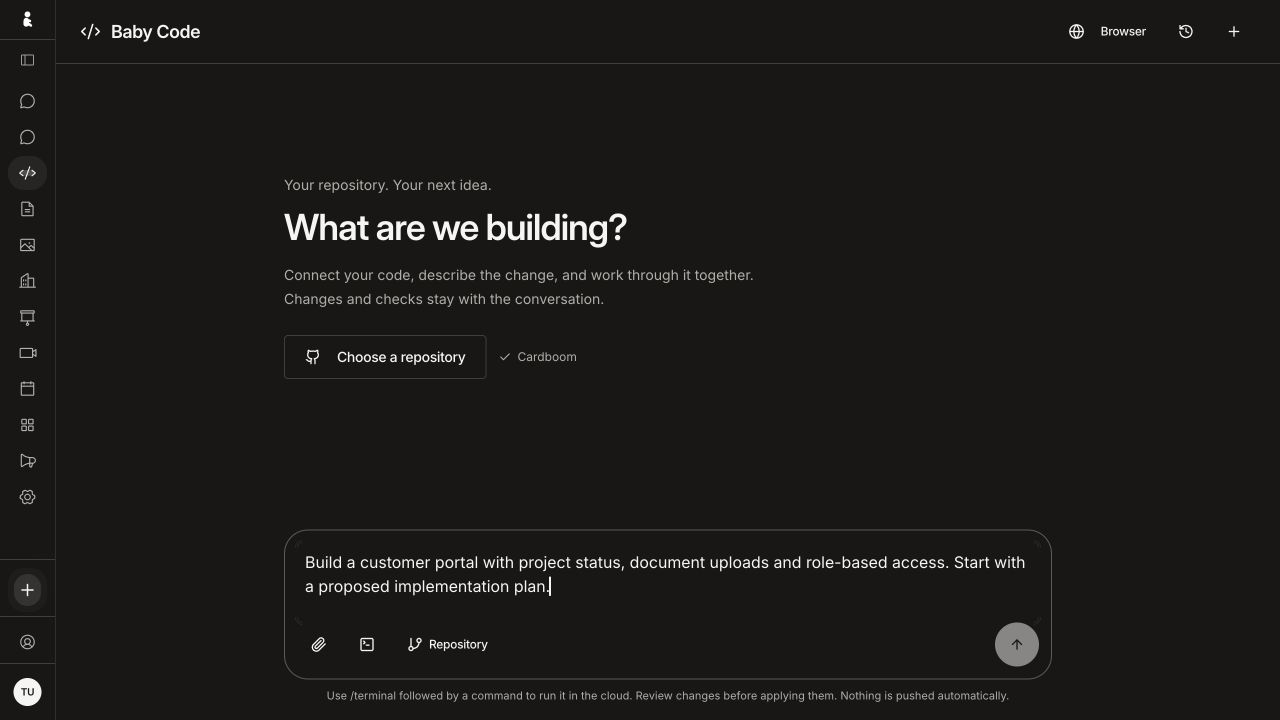
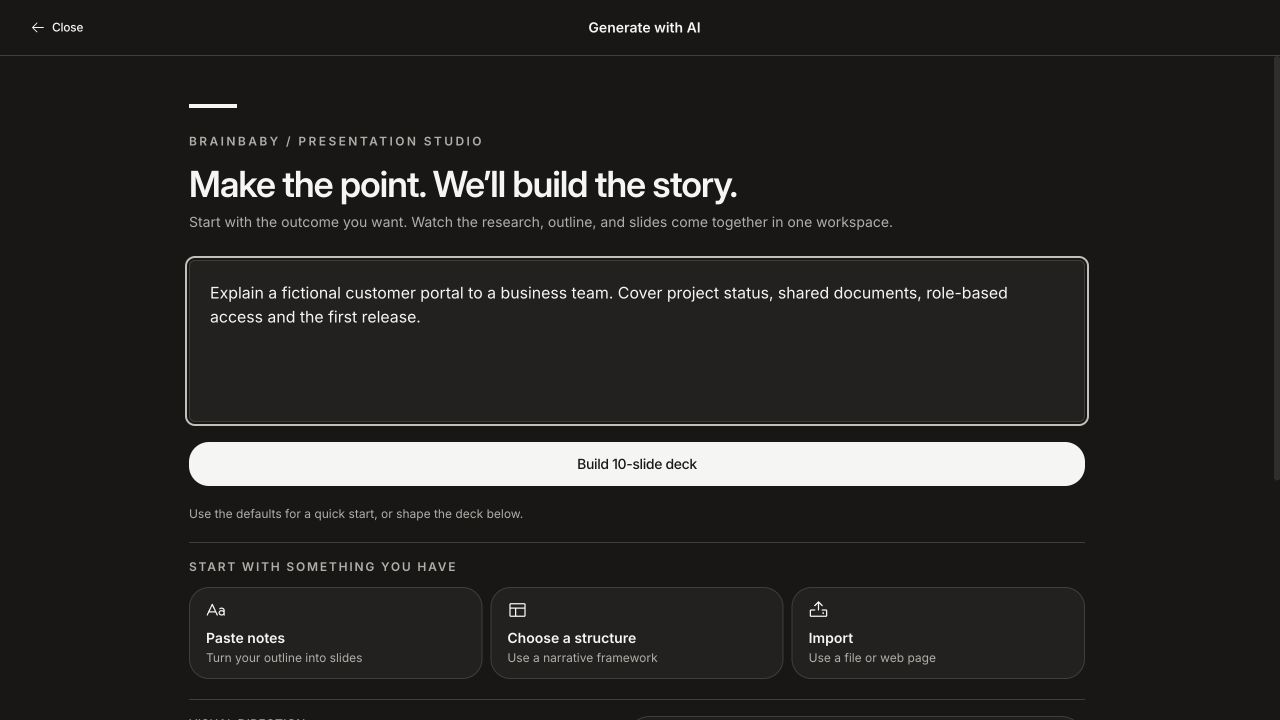
Software needs space for the task, its controls and the next decision. These wide views show how Brainbaby brings coding and presentation briefs into dedicated browser workspaces. Both examples start with the same fictional customer-portal project.
01
Coding starts with the change
Baby Code with an unsent customer-portal brief, repository selection and source-file and cloud-command entry controls. Browser capture at 1280 × 720.
02
Presentations start with the audience
Presentation studio with an unsent customer-portal brief and entry points for notes, a narrative structure or imported material. Browser capture at 1280 × 720.
Captured from the signed-in browser interface on 3 October 2026. These are setup screens with fictional text: no repository was selected, command run, code sent or deck generated for these captures. They show the web interface, rather than a native Mac client or completed workflow.
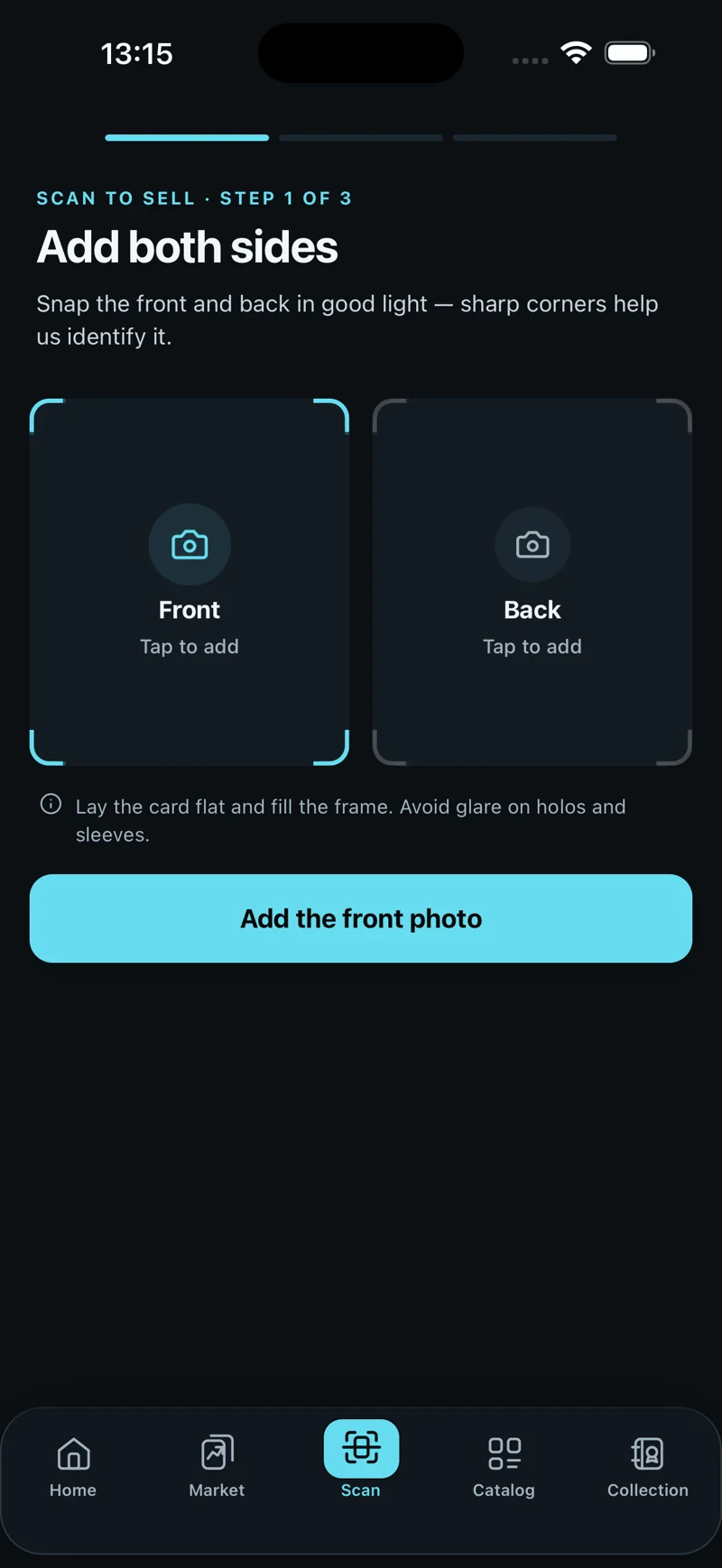
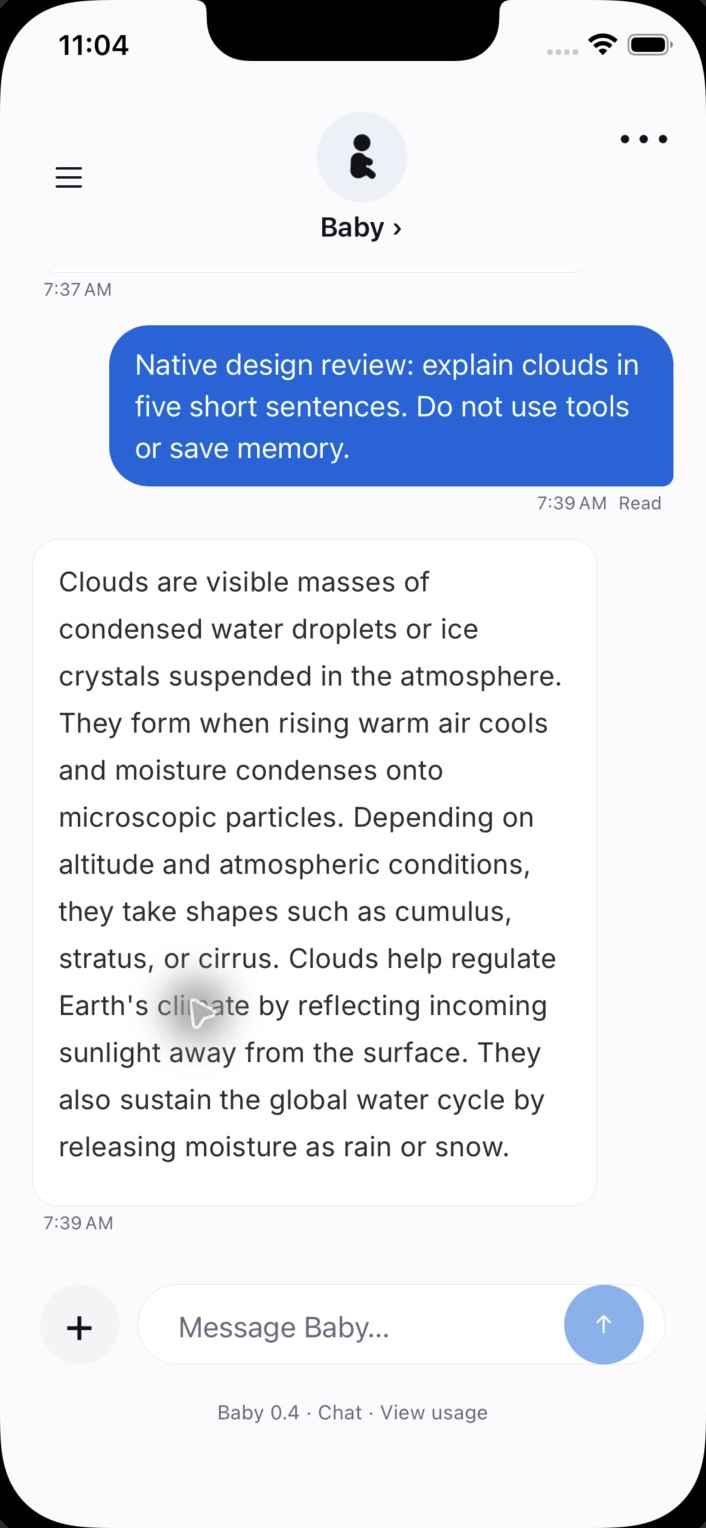
Native development previews: 6 October 2026. Web workspaces: 3 October 2026. These are dated interface examples; the newer native design is a local QA candidate, not a store release. Web creative briefs show setup only.
Browse screen captions and originals · Brainbaby AI
Native development previews: 6 October 2026. Web workspaces: 3 October 2026. These are dated interface examples; the newer native design is a local QA candidate, not a store release. Web creative briefs show setup only.
Daily analysis, lesson and quiz: Expo web QA, 30 September 2026, with synthetic data. Chart and menu: September iOS demo captures. Development previews are separate from store availability.
Browse screen captions and originals · Baby Astro
Daily analysis, lesson and quiz: Expo web QA, 30 September 2026, with synthetic data. Chart and menu: September iOS demo captures. Development previews are separate from store availability.
Collector home, catalogue and set completion: 2–3 October 2026 web previews. Other screens: earlier native captures. Displayed estimates are not completed sales; feature availability varies by release.
Browse screen captions and originals · Cardboom
Collector home, catalogue and set completion: 2–3 October 2026 web previews. Other screens: earlier native captures. Displayed estimates are not completed sales; feature availability varies by release.
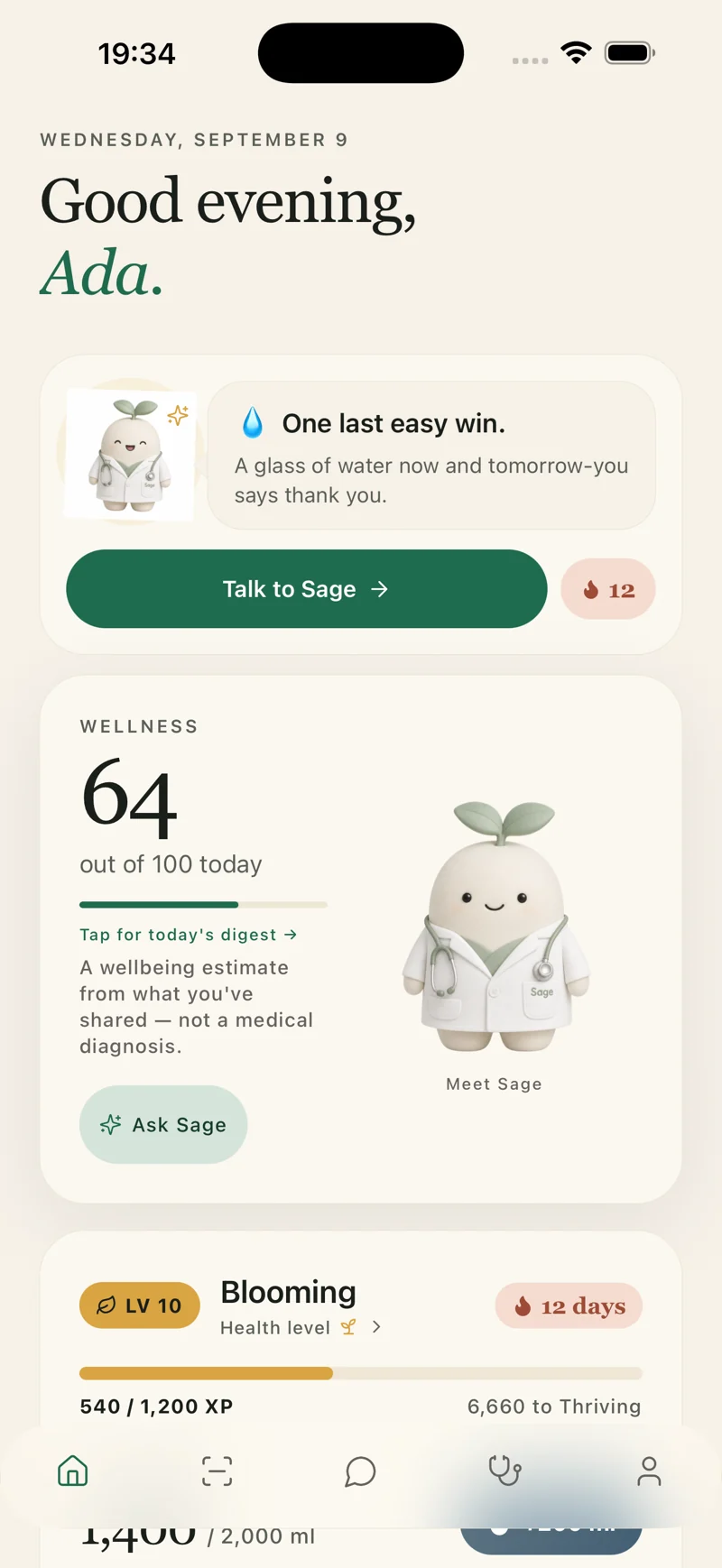
Native demo captures from 9 September and 2 October 2026. Synthetic data; nutrition and progress figures are illustrative. Appointments show a QA consultation, not patient records or clinical results.
Browse screen captions and originals · Lifepack
Native demo captures from 9 September and 2 October 2026. Synthetic data; nutrition and progress figures are illustrative. Appointments show a QA consultation, not patient records or clinical results.
Compare a team, prepare a cost estimate and define the systems behind your web application. These guides help you bring concrete questions to a first conversation.
Define the first release before comparing proposals. Write what you know, leave open questions visible, then download a brief you can edit and share with a development team.
Review your brief
Brainbaby Labs — Your software project brief template

Main project type: Custom software and existing-product modernisation

1. Outcome
What problem should improve, and how will you recognise improvement?
To be discussed

2. Users and access
Who uses it? Which roles, devices or accessibility needs matter?
To be discussed

3. One complete first-release journey
From the first action to a useful result, including waiting and recovery.
To be discussed

4. Existing systems and integrations
What already exists? Who owns access? What still needs investigation?
To be discussed

5. Release and budget constraints
Target window, platforms, spending limit and known dependencies.
To be discussed

6. Acceptance and ownership
What demonstration proves completion? Who owns accounts, code and operations?
To be discussed

Questions to resolve with the development team
- Agree deliverables, exclusions and acceptance criteria.
- Separate build costs from hosting, provider usage and support.
- Record ownership, handover and responsibilities after launch.

Discuss this project carries your brief to the form in this tab, using browser storage for up to 30 minutes. Review and submit it yourself; nothing is sent yet. Use non-sensitive examples. Download a copy before leaving.
Discuss this project carries your brief to the form in this tab, using browser storage for up to 30 minutes. Review and submit it yourself; nothing is sent yet. Use non-sensitive examples. Download a copy before leaving.
 Brainbaby AI