Owned product / Mobile wellness
Lifepack: wellness app design & engineering.
A daily overview, a food list and a conversation with Sage. Lifepack brings these journeys into one mobile product. This owned-product case study shows how interface design meets the rules behind meal planning—and the questions a new wellness app should resolve before release.
Discuss your wellness appPrepare your project brief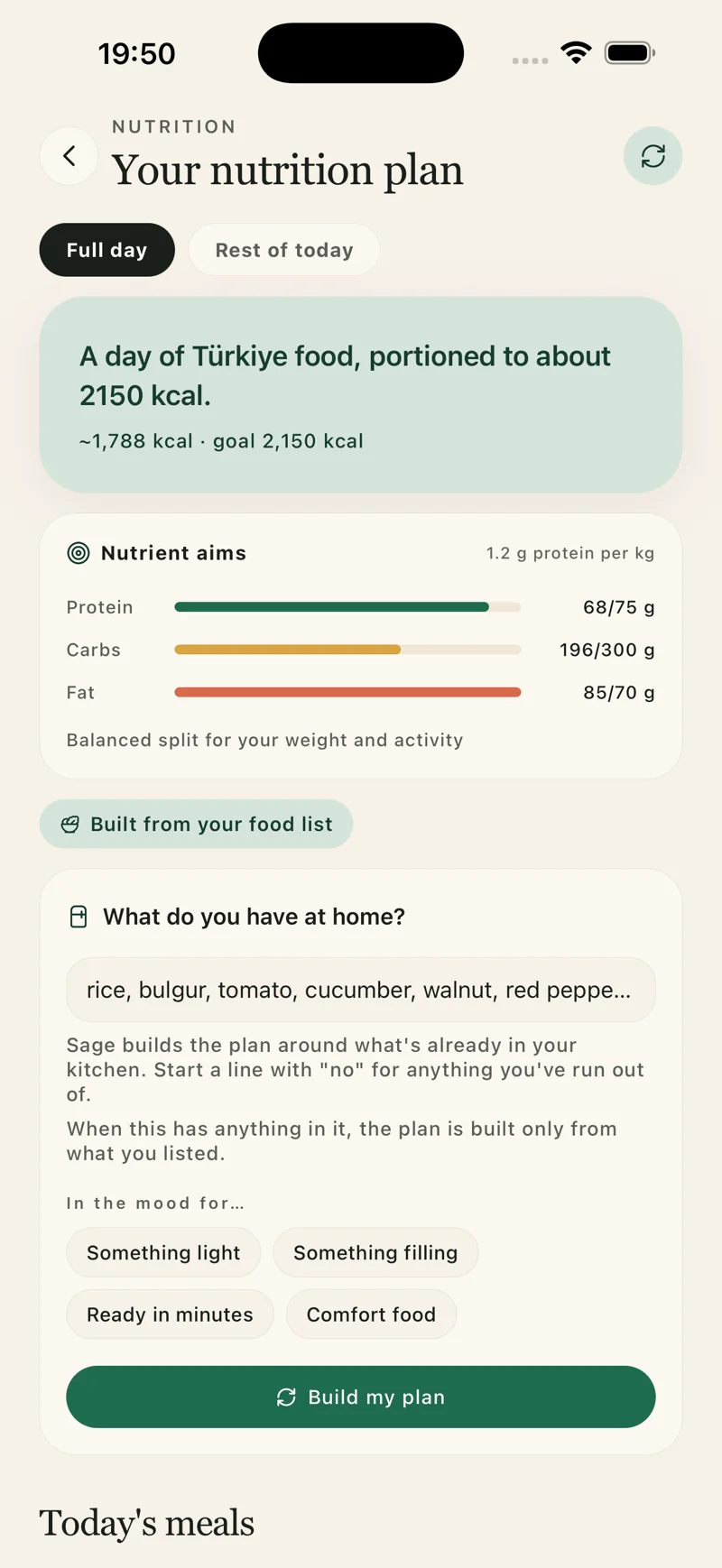
Lifepack / UI + UX
Three journeys inside one app.
Choose a journey to inspect its captured interface and the product decision behind it. These are native demo screens, with fictional data.
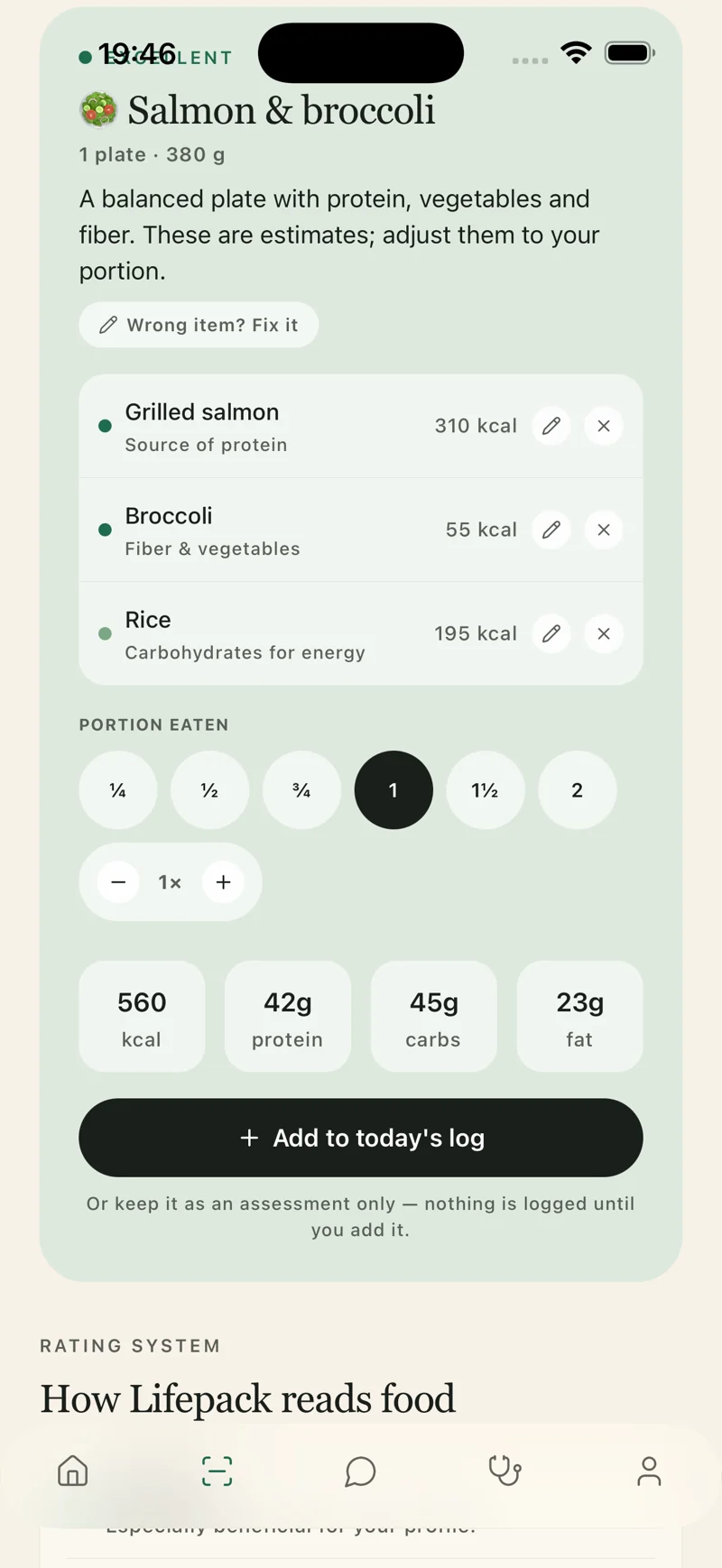
Review a meal
The meal-estimate screen puts the example result alongside portion controls. A user needs to understand what can be adjusted and what is an estimate. The figures in this capture illustrate the interface; they do not establish nutrition accuracy.
Plan from the pantry
The nutrition screen asks what is available at home before building a plan. Food-list entry, preferences and the next action share one view. The engineering question is whether the plan respects those inputs when the available ingredients are limited.
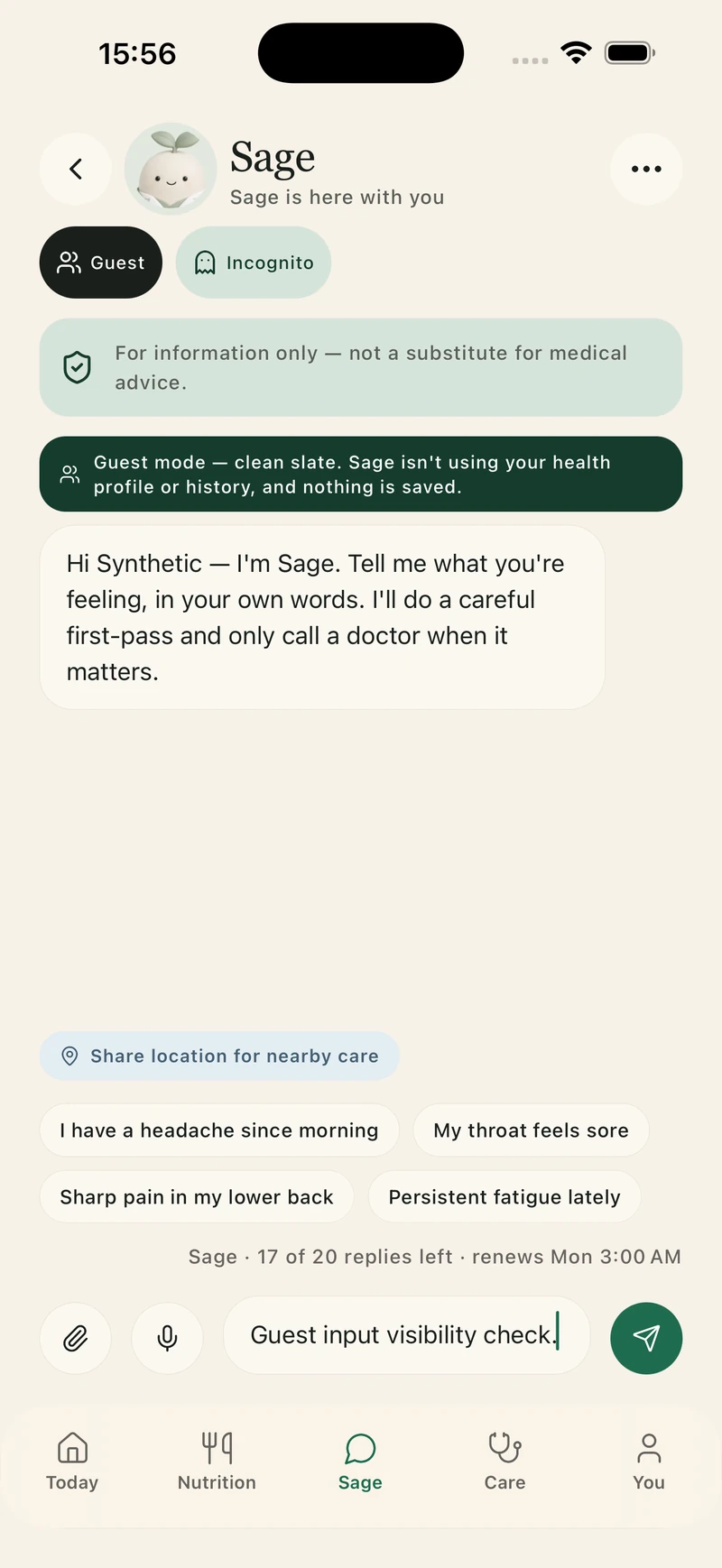
Start with Sage
The October Sage capture shows Guest and Incognito controls near the conversation. Mode explanations need to be visible before sending. The displayed input is an unsent QA check; this capture demonstrates the controls, without proving their storage behaviour.
Explore the real app screens
Native demo captures from 9 September and 2 October 2026. Fictional data; wellness and nutrition figures are illustrative. The newer screens show Guest and Incognito controls, not a privacy audit.
Browse screen captions and originals · Lifepack
Native demo captures from 9 September and 2 October 2026. Fictional data; wellness and nutrition figures are illustrative. The newer screens show Guest and Incognito controls, not a privacy audit.
- Lifepack daily wellness overview with Sage and example habit progress
- Lifepack illustrative meal estimate with portion controls
- Lifepack pantry meal planning interface with example ingredients
- Lifepack water, movement and sleep progress with fictional example data
- Lifepack Sage conversation using a fictional demonstration account
- Lifepack native level map showing fictional example progress and the next milestone
- Lifepack Sage Guest controls with synthetic demo data — native QA capture, 2 October 2026
- Lifepack Sage Incognito controls with synthetic demo data — native QA capture, 2 October 2026
Product design & engineering
The food list is an engineering constraint.
In the reviewed mobile source, a supplied pantry list defines the ingredient pool used by the local planner. Dish eligibility checks its ingredient list; an unknown or insufficient pantry produces an empty result with a distinct explanation. That is a concrete implementation decision behind the screen. The rule also allows configured staple ingredients; that convention needs to be explained to users.
For a client project, we would agree how inputs, estimates and empty states should behave, then test the complete journey. The interface, planning rules, AI requests and data responsibilities each need clear acceptance criteria. This source review does not establish a production service level or a clinical outcome.
Evidence: native demo captures from 9 September and 2 October 2026; mobile meal-planning source reviewed 4 October. This is a Brainbaby Labs portfolio product, not an external client testimonial.
Questions for your first release.
- Which daily task should a user complete first, and which inputs does it need?
- Who owns the data, retention rules and verification of AI responses?
- What should happen when an estimate is uncertain, a request fails or the food list cannot support a plan?
From planning to a useful conversation
Your software project brief template
Define the first release before comparing proposals. Write what you know, leave open questions visible, then download a brief you can edit and share with a development team.
Review your brief
Brainbaby Labs — Your software project brief template

Main project type: iOS and Android product experiences

1. Outcome
What problem should improve, and how will you recognise improvement?
To be discussed

2. Users and access
Who uses it? Which roles, devices or accessibility needs matter?
To be discussed

3. One complete first-release journey
From the first action to a useful result, including waiting and recovery.
To be discussed

4. Existing systems and integrations
What already exists? Who owns access? What still needs investigation?
To be discussed

5. Release and budget constraints
Target window, platforms, spending limit and known dependencies.
To be discussed

6. Acceptance and ownership
What demonstration proves completion? Who owns accounts, code and operations?
To be discussed

Questions to resolve with the development team
- Agree deliverables, exclusions and acceptance criteria.
- Separate build costs from hosting, provider usage and support.
- Record ownership, handover and responsibilities after launch.

Discuss this project carries your brief to the form in this tab, using browser storage for up to 30 minutes. Review and submit it yourself; nothing is sent yet. Use non-sensitive examples. Download a copy before leaving.
Discuss this project carries your brief to the form in this tab, using browser storage for up to 30 minutes. Review and submit it yourself; nothing is sent yet. Use non-sensitive examples. Download a copy before leaving.