From a customer portal to a complete software product, we connect the interface, business logic, and systems behind it. Start with the workflow your users need to complete.
One product. Clear responsibilities across the whole system.
Owned-product example / Brainbaby AI
Inspect the product behind the service.
Review the interface, then use the case study to discuss the workflow and the systems behind it. These are our portfolio products; your project needs its own scope and acceptance criteria.
Room for the work. Clarity for the next step.
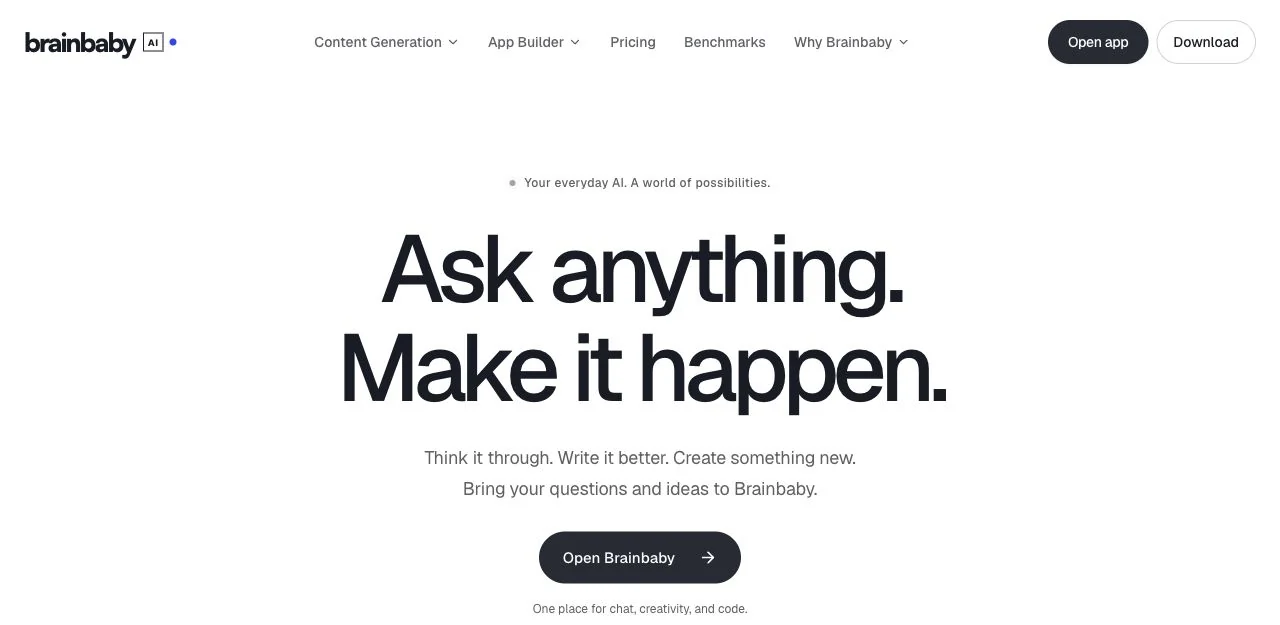
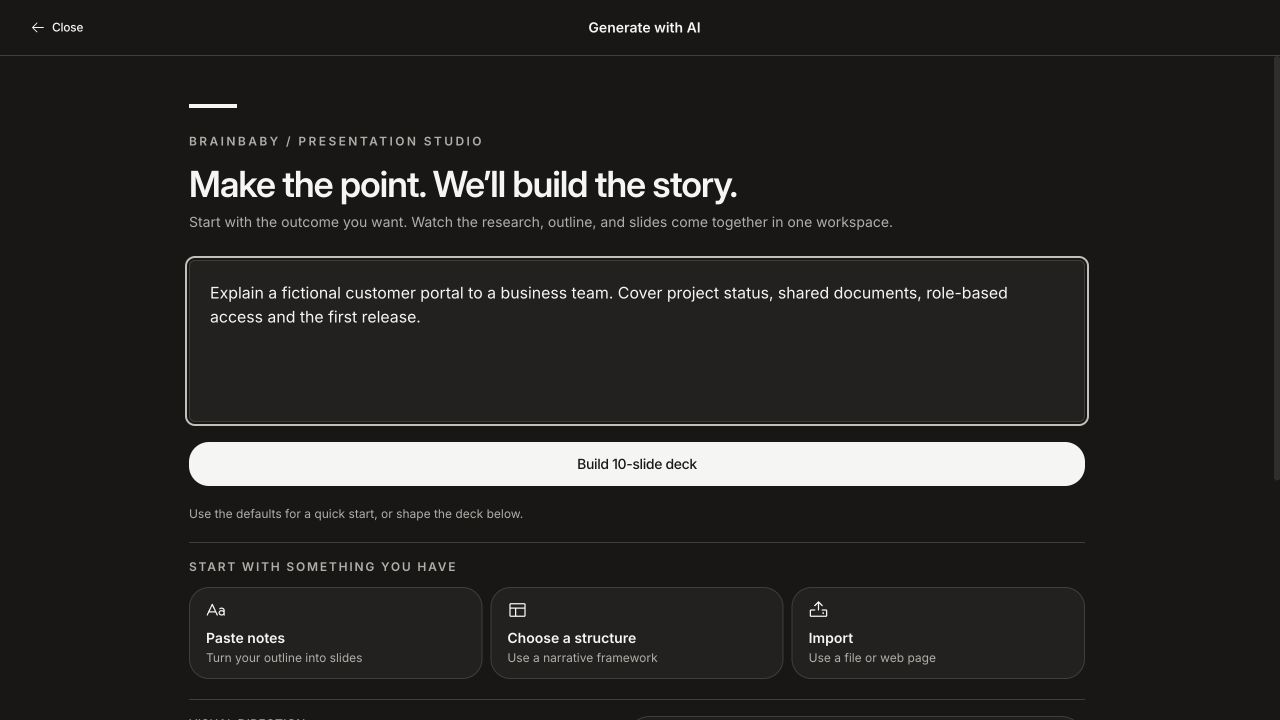
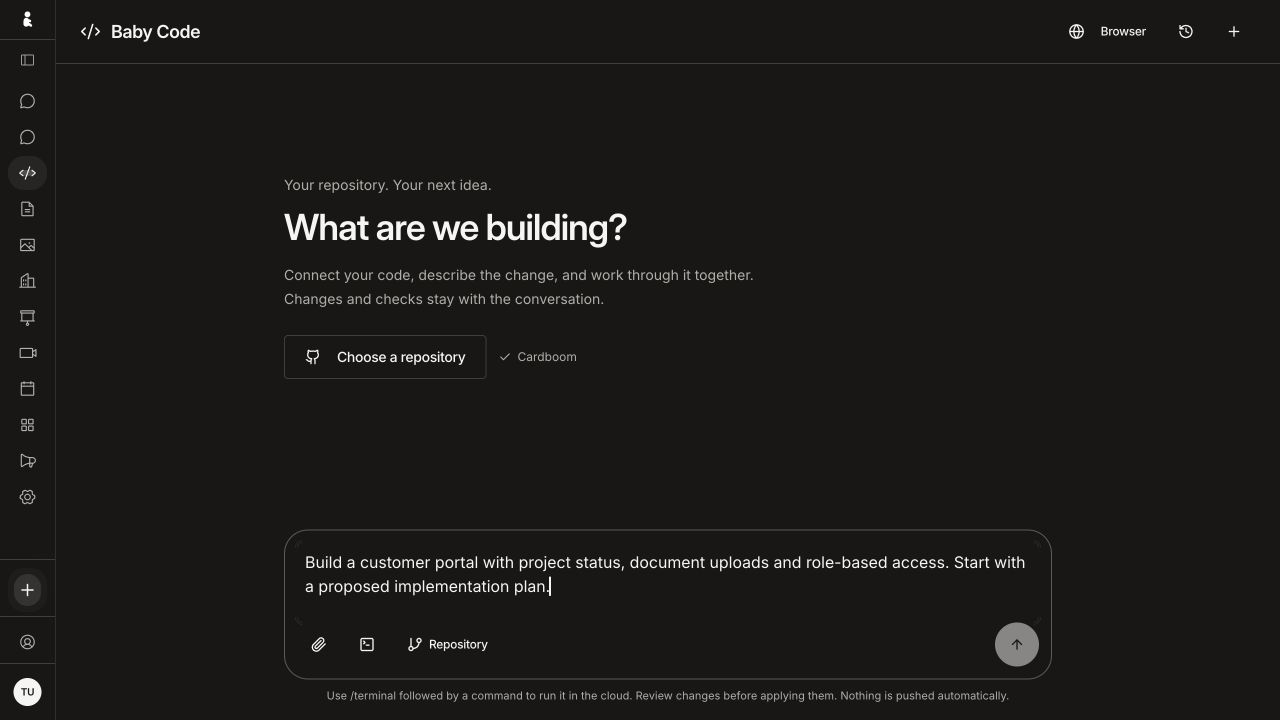
A business web application needs more than a homepage. These Brainbaby AI browser views show how a task, its controls and the next action can share one workspace.
Presentation studio with an unsent customer-portal brief and entry points for notes, a narrative structure or imported material. Browser capture at 1280 × 720.
01
What should the user provide?
Define the inputs, defaults and validation before requesting a result. This presentation setup brings the brief and starting options into the same view.
Baby Code with an unsent customer-portal brief, repository selection and source-file and cloud-command entry controls. Browser capture at 1280 × 720.
02
Where do choices and permissions belong?
Plan source selection, access and confirmation alongside the task. This coding setup shows repository and command entry controls; it does not demonstrate execution.
Captured from the signed-in browser interface on 3 October 2026. These are setup screens with fictional text: no repository was selected, command run, code sent or deck generated for these captures. They show the web interface, rather than a native Mac client or completed workflow.
Browse screen captions and originals · Brainbaby AI · Web workspace
Captured from the signed-in browser interface on 3 October 2026. These are setup screens with fictional text: no repository was selected, command run, code sent or deck generated for these captures. They show the web interface, rather than a native Mac client or completed workflow.
We develop browser-based applications for customers, partners, and internal teams. That can include a subscription product, an operations dashboard, a self-service portal, or a marketplace. The starting point is the task, the people involved, and the information they need to make a decision.
A web application needs more than a convincing first screen. We plan account access, forms, search, permissions, loading states, and recovery paths alongside the main experience. The interface and backend are developed as one product.
Customer and partner portals
SaaS products and subscription workflows
Internal dashboards and operational tools
Marketplaces and multi-role applications
02
Agree the foundations before the build
Discovery produces an agreed set of user journeys, a first-release scope, and a view of existing systems. We identify the difficult integration early and propose a way to prove it before the whole application depends on it.
The technical approach follows the requirements. We discuss browser and device support, data structures, access rules, external services, and what your team will need to maintain the application. Estimates explain assumptions and exclusions.
Workflow and role map
Designs for the essential journeys
Application and integration plan
Acceptance criteria and release milestones
03
A launch you can operate
The release plan should cover hosting, configuration, monitoring, backups where relevant, and the process for addressing errors. We agree which responsibilities sit with Brainbaby Labs and which remain with your team.
Source code, design assets, account ownership, and handover deliverables are defined in the project agreement. A working release should come with the context needed to make the next change, not just a link to a running website.
04
Relevant work: Brainbaby AI
Our own AI workspace brings chat, generated media, documents, and presentations into one product. Its breadth provides a concrete starting point for a discussion about multi-feature web applications, user workflows, and the systems that support them.
Explore the owned-product case study, then bring us the workflow you want to build. We will assess the scope, uncertainties, and first milestone with you.
For subscription software buyers
SaaS development: define what launch must prove.
A polished dashboard is one part of a subscription product. Use these six decisions to compare proposals for the first version. Record what belongs in scope and what needs a conversation; download the plan or carry it into your enquiry.
01
Accounts & workspaces
A login screen does not prove that customer workspaces are isolated.
Demonstrate that a member of workspace A cannot read, search or export workspace B’s records.
Agree who can invite members, change roles and recover access when an owner leaves.
02
Subscriptions & access
Payment failures and subscription changes need explicit access rules.
Define trial, upgrade, cancellation and failed-payment behaviour, including the messages customers see.
Show that repeated or delayed payment notifications do not grant access twice or remove valid access.
03
Launch & handover
Make responsibilities and evidence part of the proposal, before work starts.
Record who owns the code, domain, hosting and billing accounts; separate build costs from ongoing costs.
Rehearse a restore or rollback with fictional records, and name who handles incidents after launch.
Included: 0 · To discuss: 6
Describe the customer’s main task, existing systems and decisions to resolve. Use fictional examples; do not enter passwords or customer records.
These are planning decisions, not completed tests or a security certification. Nothing is sent until you submit the enquiry form. Your project needs agreed acceptance criteria.
The discussion link carries this scope to the form in the same tab, using browser storage for up to 30 minutes. Review it before sending, and download a copy before leaving.
Can you build a web app around our existing systems?
Start with the workflow, the people using it and the systems holding the data. We assess account access, APIs, integration constraints and the first complete journey. A customer portal, internal dashboard or subscription product can be scoped around that journey before the wider application is built.
How do you estimate software development cost and timing?
An estimate follows the user roles, workflows, existing systems, integrations and release requirements. Share your brief or current application so we can discuss the unknowns and a first milestone. The written proposal sets out assumptions, exclusions and the process for scope changes; a general price range is not a project quote.
Who owns the source code, designs and service accounts?
The project agreement defines source code, design files, data, accounts and third-party components. Handover should include the context needed to operate and change the system. Hosting, monitoring, maintenance and support responsibilities are scoped explicitly rather than assumed to be included in every build.
From planning to a useful conversation
Your software project brief template
Define the first release before comparing proposals. Write what you know, leave open questions visible, then download a brief you can edit and share with a development team.
Review your brief
Brainbaby Labs — Your software project brief template

Main project type: Web App Development Services

1. Outcome
What problem should improve, and how will you recognise improvement?
To be discussed

2. Users and access
Who uses it? Which roles, devices or accessibility needs matter?
To be discussed

3. One complete first-release journey
From the first action to a useful result, including waiting and recovery.
To be discussed

4. Existing systems and integrations
What already exists? Who owns access? What still needs investigation?
To be discussed

5. Release and budget constraints
Target window, platforms, spending limit and known dependencies.
To be discussed

6. Acceptance and ownership
What demonstration proves completion? Who owns accounts, code and operations?
To be discussed

Questions to resolve with the development team
- Agree deliverables, exclusions and acceptance criteria.
- Separate build costs from hosting, provider usage and support.
- Record ownership, handover and responsibilities after launch.

Discuss this project carries your brief to the form in this tab, using browser storage for up to 30 minutes. Review and submit it yourself; nothing is sent yet. Use non-sensitive examples. Download a copy before leaving.
Discuss this project carries your brief to the form in this tab, using browser storage for up to 30 minutes. Review and submit it yourself; nothing is sent yet. Use non-sensitive examples. Download a copy before leaving.